After you have installed PostgreSQL, these are the essential steps required to configure a PostgreSQL sever running on Ubuntu. We use Synaptic to to install PostgreSQL.
Updating up the postgres user account
Step 1 is to update the postgres user account. Open a Terminal (Ctrl+Alt+T) and type the following:
sudo -u postgres psql postgres
At the #postgres=# prompt type the following and press Enter:
\password
Type a new password, press Enter, confirm the password and press Enter again.
Now type \q and press Enter.
If we have configured the server for you, the password for the postgres account will be sql.
Location of configuration files
When the server is running on a Linux machine, the configuration files are normally the /etc/postgresql/{version}/main folder.
For example, for version 14, configuration files are located in the following folder:
/etc/postgresql/14/main
Allowing network access to the server
You must edit postgresql.conf configuration file in order to allow network (remote) access to the server.
The most reliable way to determine the location of the postgresql.conf is to open a Terminal (Ctrl+Alt+T) and use psql to execute the following query:
sudo -u postgres psql -c 'SHOW config_file;'
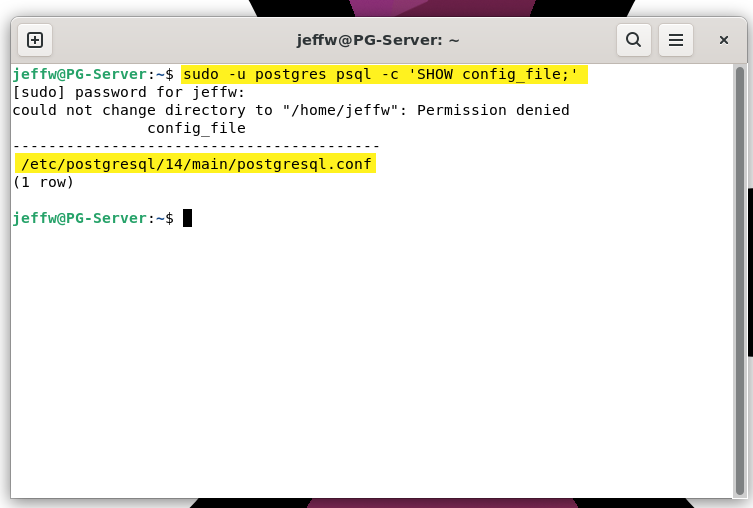
Open postgresql.conf with a text editor (vi for example). The line with the listen_addresses parameter must be uncommented (remove the #) and then modified to read as follows:
listen_addresses = '*'
After the configuration file has been modified and saved, the configuration must be reloaded or the server must be restarted.
Configuring client access to the server
You must add the IP address of client computers that are allowed to access a PostgreSQL server to the pg_hba.conf configuration file.
The most reliable way to determine the location of the file is to open a Terminal and use psql execute the following query:
sudo -u postgres psql -c 'SHOW hba_file;'
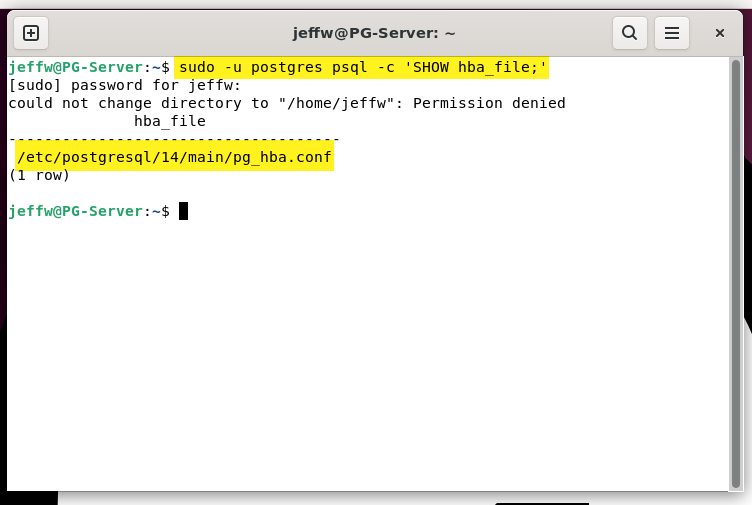
Please refer to the official documentation, especially the examples section, for more information.
Example
Allow all clients on the 192.168.7 network to access any database on a server:
host all all 192.168.7.0/24 trust
The trust keyword indicates user names must be valid but password checking is not enforced. Use scram-sha-256 to enforce password checking.
After the configuration file has been modified and saved, the configuration must be reloaded or the server must be restarted.
Reloading the configuration files
The following command will use a PostgreSQL system administration command to reload the server configuration files:
sudo -u postgres psql -c 'SELECT pg_reload_conf();'
Restarting the server
After making chnages to the pg_hba.conf and postgresql.conf files, you could choose to restart the server.
sudo systemctl restart postgresql
Firewall configuration
Port 5432 must be open on the machine that is running the PostgreSQL server.
sudo ufw allow 5432/tcp
You can test client connection to the server by temporarily turning off the firewall on the server.
Extensions
Dispatch requires the uuid-ossp extension.
Each time Dispatch connects to a PostgreSQL database, it will automatically try to create the extension by executing the following statement:
CREATE EXTENSION IF NOT EXISTS "uuid-ossp"
Server timeout
show tcp_keepalives_idle;
show tcp_keepalives_interval;
show tcp_keepalives_count;
Starting and stopping the server
sudo systemctl start postgresql
sudo systemctl status postgresql
sudo systemctl stop postgresql