To export data, select the Export item on the system menu.
Files can be exported in CSV, Excel and JSON format.
If you intend to import the data using Dispatch, choose CSV format.
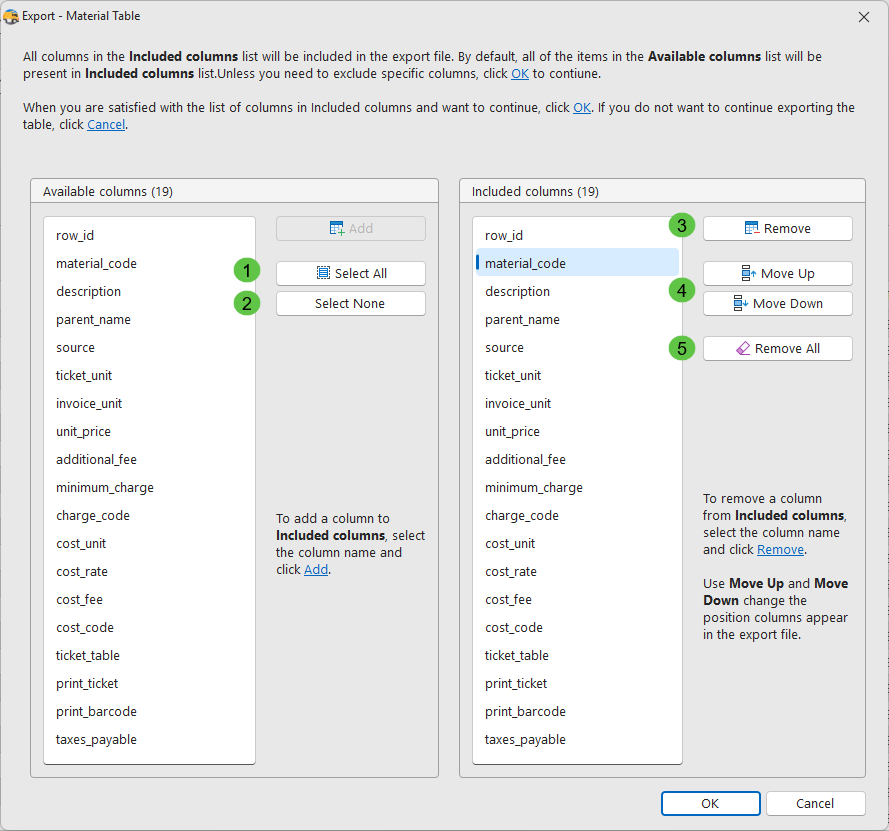
The default is to include all columns in the export file.

1.To include all columns, click Select All.
2.Click Select None to clear the Included columns list.
3.Select a column name and click Remove to remove it from the Included columns list.
4.Reorder the Included columns list using the Move Up and Move Down button.
5.Click Remove All to clear the Included columns list.