To import data, select the Import item on the system menu.
Import files must be in CSV format. Dispatch will not import files formatted in any of Excels native formats.
Files must contain a header row identifying the data contained in each column.

Importing files that contain date and time data
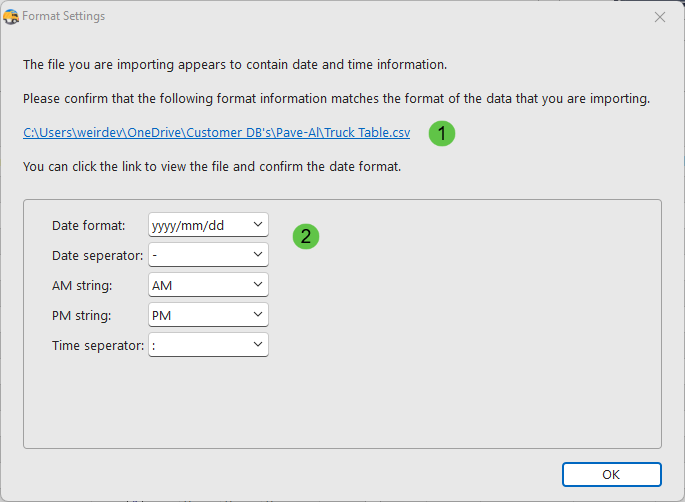
If Dispatch detects that the import file contains data and time information, you will be prompted to confirm the format of the data contained within the file.
1.A link that will allow you to view the import file. Click the link to view the file if you are unsure of the date and time data contained within the file.
2.Choose the correct format settings.
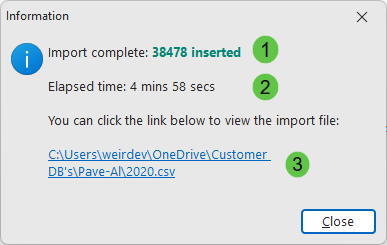
Import confirmation dialog
When the import process is complete, Dispatch will display a confirmation dialog.
1.The total number of rows inserted, updated and any errors are reported.
2.The total time taken to complete the import process.
3.A link that will allow you to view the import file.