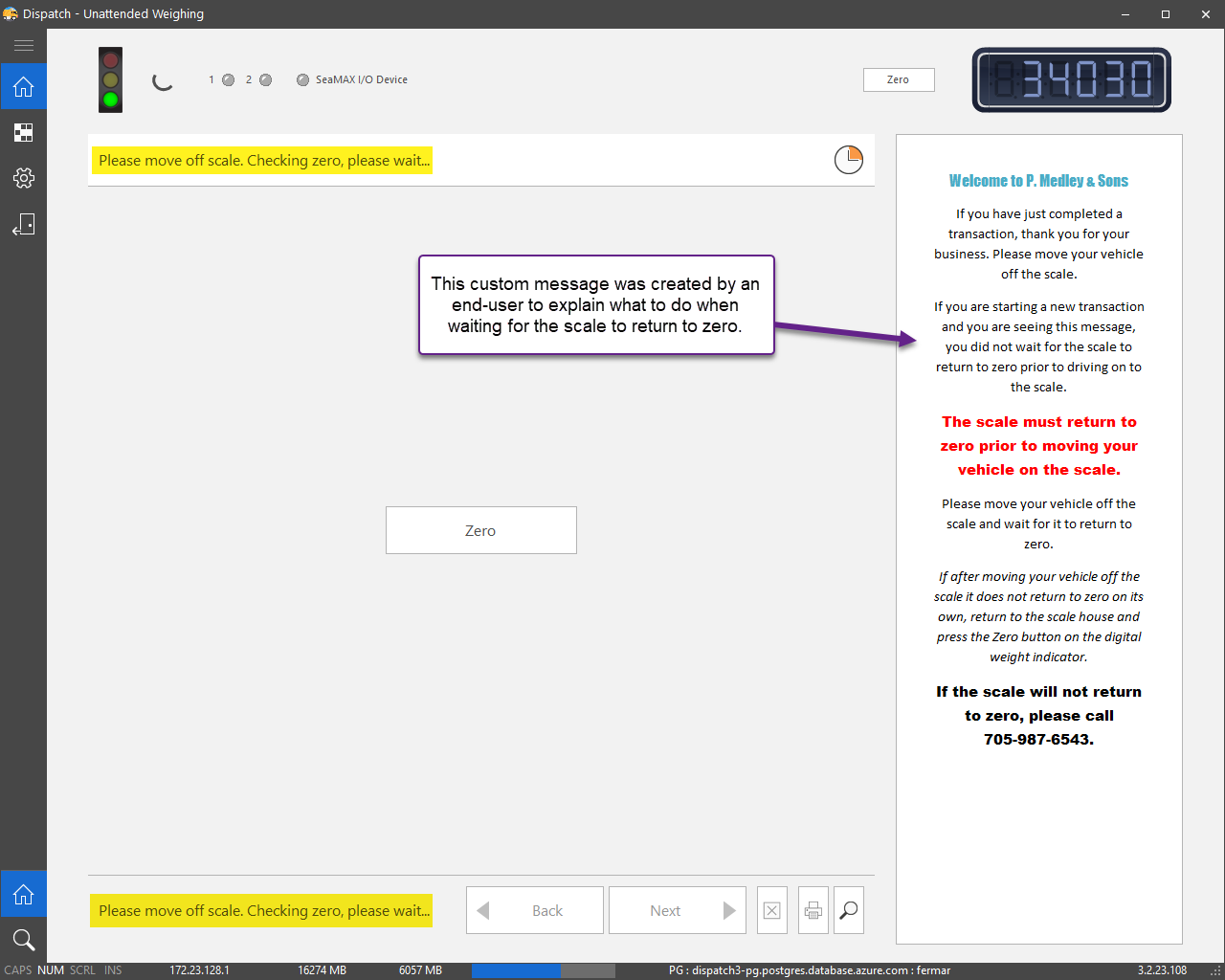
You can provide customized instructions for each step in the Unattended weighing process. Using this feature is optional.
Any or all steps in the process can have a corresponding file containing instructions for drivers. If an instruction file exists for a step, the contents of the file will be displayed when that step is active.
There are 12 possible steps that are numbered 0 to 11. Instruction files must be named named according to the step number they are intended for.
For example, if step 0 is active and there is a file named 0.bbcode, the contents of that file will be displayed. The file 0.bbcode is included when Dispatch is installed.
Instruction files can contain text that includes BBCode tags and should be created with an application such as Notepad. The files must be located in this folder:
C:\Users\Public\Documents\CanScale\Dispatch 3.2\{Database driver}\DMUnattended
Steps
You can create a custom message for any of the following steps in the Unattended weighing process:
Step # |
Description |
File name |
|---|---|---|
0 |
Checking zero |
0.bbcode |
1 |
Select a Vehicle Type |
1.bbcode |
2 |
Select an Owner |
2.bbcode |
3 |
Select a Truck |
3.bbcode |
4 |
Select an Operation |
4.bbcode |
5 |
Tare weight updated |
5.bbcode |
6 |
Select a Customer |
6.bbcode |
7 |
Select an Order |
7.bbcode |
8 |
Select a Material Category |
8.bbcode |
9 |
Select a Material |
9.bbcode |
10 |
Select a Zone |
10.bbcode |
11 |
Print ticket |
11.bbcode |
Example
The text from 0.bbcode is displayed below the Information icon. The file 0.bbcode is included with the Dispatch setup file.